For both small‑to‑medium businesses (SMEs) in Malaysia and larger enterprise deployments, choosing the right digital signage player is crucial. The BrightSign line offers a strong and well‑regarded option. This guide will walk you through what it is, why you might choose it, key factors to consider, and practical tips to determine whether it fits your signage strategy.
What is BrightSign
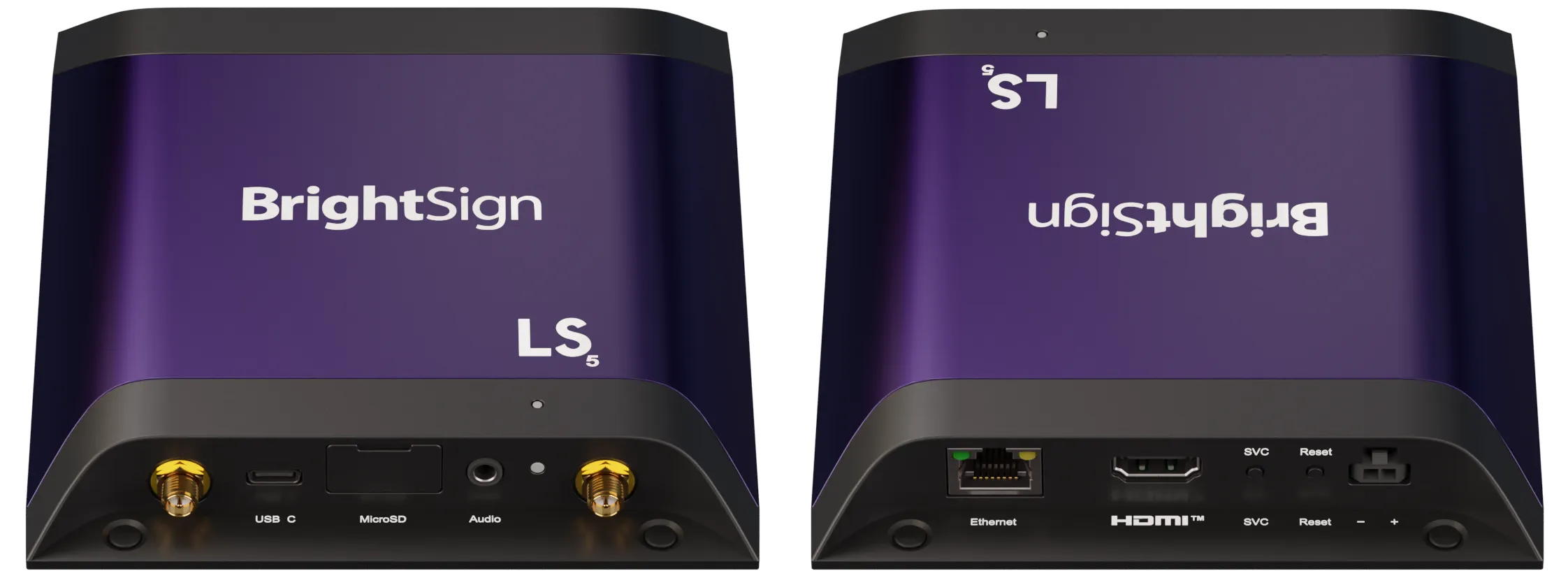
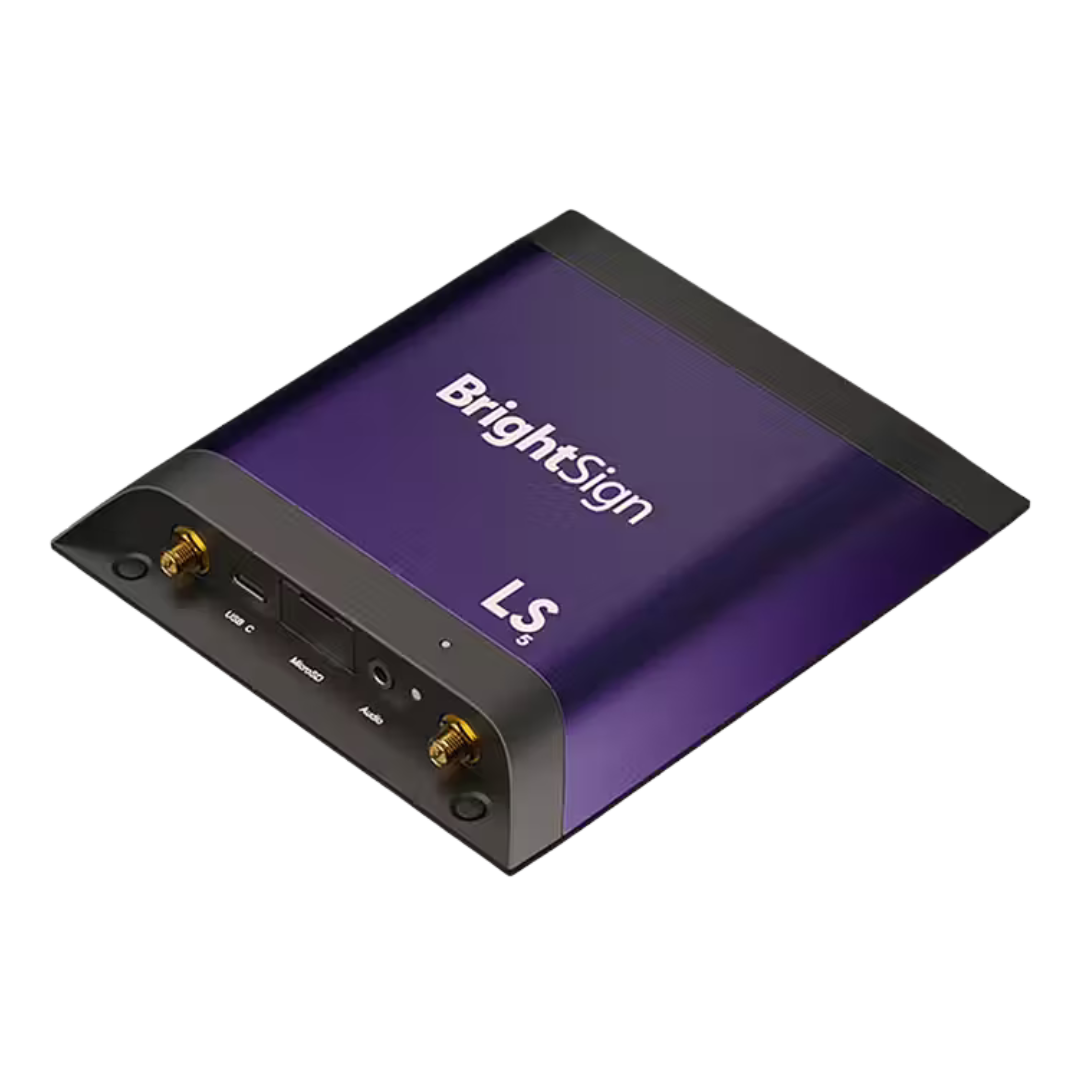
BrightSign designs hardware media‑players for digital signage (video displays, interactive screens, kiosks etc). According to their website, their players are “built for professionals with leading‑edge technology and unparalleled flexibility to deliver captivating signage experiences.” BrightSign®+2BrightSign®+2
Key features:
- Purpose‑built operating system (BrightSignOS) rather than general PC OS. BrightSign®+1
- A range of models: from entry/signage basics up to high‑end video wall / 8K applications. BrightSign®+1
- Strong emphasis on reliability, remote management, scalability, multiple I/O, HTML5 support, video decoding, etc. BrightSign®+1
For an SME in Malaysia, the LS5 or similar mid‑tier model might be the sweet spot: enough features without the high cost of ultra‑high end units. For enterprise deployments with multiple screens, video walls, multi‑site roll‑out, you may gravitate to the higher “Series 5/Series 6” models.
Why consider BrightSign (for SMEs & enterprises)
Here are the key advantages and how they map to business needs:
Reliability & long life cycle
BrightSign emphasises industrial‑grade performance, solid‑state design, fan‑less cooling, etc. BrightSign®+1 For a business, that means less downtime, fewer service visits, fewer surprises. They also stress firmware updates and long‑term support. BrightSign®
Scalability & flexibility
Whether you’re running a single screen in a retail store or dozens across multiple sites, BrightSign supports remote player management, numerous CMS integrations (100+ claimed) and multi‑display layouts. BrightSign®+1 For enterprises, that ability to centralise content and monitor players is key; for SMEs, the fact you can start small and expand later is an advantage.
Performance & features
Even the “basic” models support Full HD or 4K video, HTML5 widgets, touchscreen interactivity, streaming, etc. For example, the LS5 model offers Full HD/4K video and basic interactivity. BrightSign®+1 The higher‑end XC5 model supports 8K HDR, multi‑screen outputs, PC‑class graphics. BrightSign®
So you’re getting high‑quality playback and a future‑proofed platform.
Ecosystem & compatibility
Because BrightSign is well‑established in the signage space, you’ll find many CMS systems, integration options, install partners etc that support it. That means less risk of “lock‑in” or being stuck with obscure hardware. Also remote monitoring/management features reduce ongoing operations cost.
Suitable for Malaysian / Southeast Asia context
Digital signage is growing in retail, transportation hubs, corporate offices, F&B outlets etc in Malaysia. Using a reliable signage‑player like BrightSign means you’re aligned with what many integrators already know and support.
What to check before you buy – key factors
When selecting a BrightSign player (or any signage player), here are critical things to evaluate (with BrightSign in mind):
1. Intended use & screen environment
- Display resolution / number of displays: Are you doing simple Full HD signage, or 4K, or a video wall? For simple signage, LS5 is fine; for complex multi‑screen 8K, you need XC5 or similar.
- Interactivity / sensors / touch: Do you need touchscreens, kiosks, conferences etc? Then you’ll want richer I/O, maybe USB‑C, GPIO, network sensors. LS5 offers some of that but higher models have more. BrightSign®
- Network / streaming: Will you stream content from cloud or local storage? Check network capabilities, codecs supported, HTML5 support.
- Location & environment: Is it indoor retail, or outdoor signage (sunlight, weather)? For harsh environments ensure players are ruggedised or in enclosures; BrightSign emphasises solid‑state and long‑life. AVNetwork
2. CMS & content management
You’ll need a content management system (software) to schedule, update, monitor signage. BrightSign works with many CMS partners. But confirm:
- Does the CMS support your workflows (remote updates, multiple sites, zone layouts, real‑time data)?
- Integration with your systems (POS, CRM, live data feed)?
- For SMEs: how much internal IT is required? A simpler turn‑key CMS may be preferable.
From user feedback:
“BrightSign’s hardware is great. Their software is hot garbage.” Reddit
and
“Over 60 CMS vendors support BrightSign hardware …” Reddit
So you may need to pick the right CMS partner rather than assume the out‑of‑box software is plug‑and‑play.
3. Budget vs total cost of ownership
- Hardware cost: More advanced models cost significantly more (and in Malaysia, import/FX considerations may apply).
- Installation cost: CAD for wiring, mounting, network config, commissioning.
- Operational cost: Content creation, network bandwidth, remote management, future upgrades. BrightSign emphasises low power and long life cycle to reduce TCO. BrightSign®
- Support & warranty: BrightSign now offers a 5‑year warranty on Series 5 and later when registered. BrightSign®
4. Local support & ecosystem in Malaysia
- Ensure there is a local reseller, integrator, service partner who knows BrightSign hardware.
- Check availability of accessories (mounts, cables, enclosures) for Malaysian market.
- Ensure the version you buy supports the video standards/codecs (e.g., H.265) your content uses. LS445 datasheet mentions H.265 support. Assured Signage
5. Future‑proofing
- Choose a model that gives you headroom: e.g., if you plan to go from Full HD to 4K later, pick a player that supports 4K now.
- Check remote management, firmware update policy.
- Modular or expandable I/O (USB, GPIO, network) if you plan IoT or interactive signage.
- Content flexibility: HTML5, streaming, interactive, sensor triggered.
Recommendations by business size / scenario
For SMEs (single store, retail, office lobby)
- You may only need one or few displays.
- A model like LS5 (entry‑to‑mid) will cover: Full HD or 4K looping content, maybe touch or USB engagement. It offers good value.
- Use a simple CMS (or turnkey) to keep operations light.
- Focus on: high‑quality content, brand consistency, ease of update (e.g., from mobile device).
- While price matters, invest more in content quality and refresh cycle than lowest cost hardware.
For Enterprises (multi‑site, video wall, interactive, networked)
- Use higher tier models (XD5, XC5 etc) for multi‑screen/outdoor/video wall. E.g., XC5 supports 8K, multi‑HDMI outputs. BrightSign®
- Use centralised CMS with remote monitoring, health‑checks, network management.
- Consider zones, dynamic content updates, live data feeds, integration with analytics.
- Plan for scale: standardise hardware across sites, modular deployment, remote provisioning.
- Ensure network architecture supports streaming, security standards, remote management.
- Consider lifecycle: BrightSign emphasises long life cycle and sustainability. BrightSign®
Potential Limitations & What to Watch
No product is perfect. Some user feedback and considerations:
- Learning curve: Some users report the BrightSign software ecosystem (authoring, CMS) is less intuitive than expected. Reddit
- Cost: High‑end models are expensive compared to entry‑level signage players.
- If you pick a very low‑tier player you may hit limitations (e.g., limited I/O, less future‑proof).
- Integration: While many CMS options exist, not all plug‑and‑play; you may need to work with a partner/integrator.
- For very simple signage (text tickers, static images) you may not need such a specialised player — check cost‑benefit.
Key Questions to Ask Before Purchasing
Here are some questions you can use when comparing vendors/integrators in Malaysia:
- Which model of BrightSign is recommended for my screen size, content type and location?
- Does the player support 4K video / HTML5 widgets / interactive touch etc if I plan for that?
- What CMS will be used? What does the deployment look like (content upload, scheduling, remote monitoring)?
- What network connectivity is required (Ethernet, WiFi, PoE)? Are we covered?
- How are firmware updates, player health monitoring, remote diagnostics handled?
- What warranty and support do we get (especially after 2025 rule: 5 year warranty for Series 5+). BrightSign®
- What is total cost: hardware + installation + content creation + operational maintenance?
- If multiple sites: How will standardisation and roll‑out be managed?
- Are there local service/maintenance partners in Malaysia?
- How will content be created and refreshed? (hardware is only part of the equation)
Conclusion
For SMEs and enterprises looking for a robust digital signage solution in Malaysia, the BrightSign platform offers a credible and proven option. Its key strengths: reliability, performance, scalability, and a large ecosystem of CMS/integrators. The key to success is matching the right player model (e.g., LS5 for simpler needs, XD/ XC for complex) to your signage strategy, ensuring you have good content, network/infrastructure, and a CMS that works for your workflow.
If you’re ready to choose a specific model and want to compare pricing in Malaysia (local distributor/reseller), I can help you pull up current options. Would you like me to check local Malaysian pricing and reseller availability for BrightSign players?
